
Lime Green Color Meaning | Connotations & Hex Code
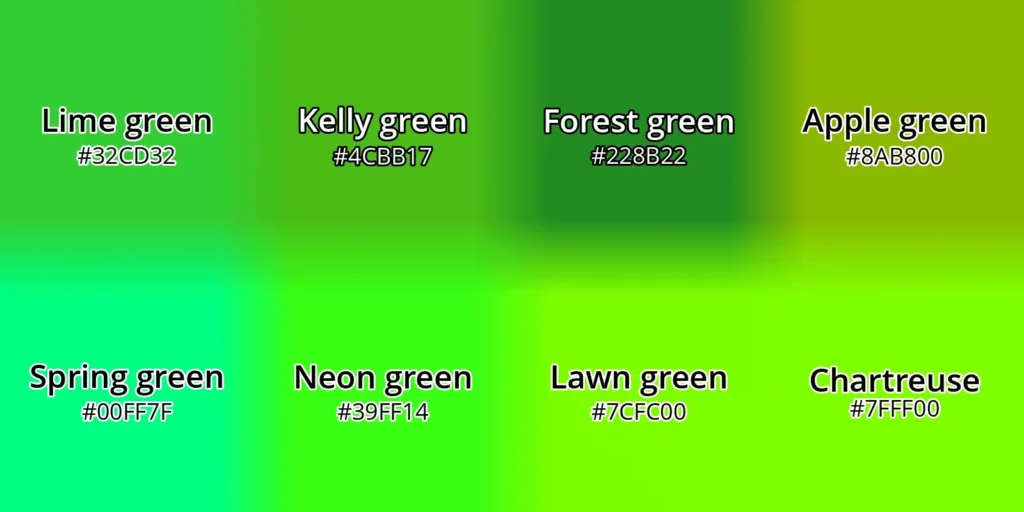
Lime green is a fresh and energetic pure green that’s typically:
- Lighter and less yellow-leaning than kelly green
- Much lighter than forest green
- A lighter and purer green (less yellow) than apple green
- Less “minty” (less cyan) than spring green
- Darker, softer, and less yellow-leaning than neon green, lawn green, and chartreuse
You’ll find lime green’s hue at the midpoint between yellow and cyan on digital color wheels, like QuillBot’s free online color wheel.
Continue reading: Lime Green Color Meaning | Connotations & Hex Code
Gray Color Meaning | Connotations & Code
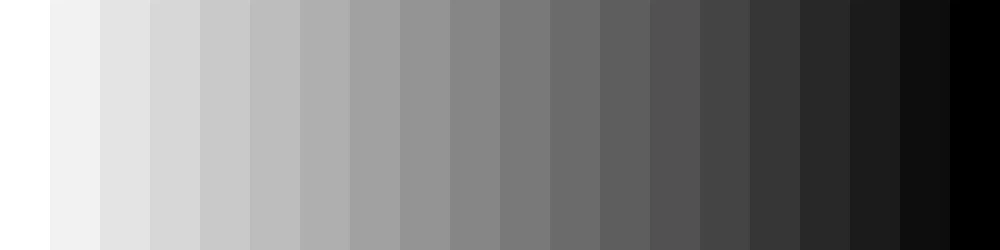
You make gray by mixing black and white paint or—on screens—by setting the red, green, and blue values to the same level. A perfectly neutral gray has no color tint (no hue you could put a name to like “orange,” “purple,” or “yellow”)—it’s just lighter or darker, from white through mid-gray to black.
To find shades of pure gray using a color wheel tool like QuillBot’s free online color wheel, enter #000000 as your base color and move the slider around the outer wheel.
Continue reading: Gray Color Meaning | Connotations & Code
Unlock PDF Files Using Free Online Tools
Password protection helps keep sensitive PDFs secure when you share them. But if you need to edit a password-locked PDF, entering the password every time you want to open it can slow you down.
A simple way to unlock PDF files you own and remove their passwords is to use a PDF unlock tool, such as QuillBot’s free online PDF Unlock.
Continue reading: Unlock PDF Files Using Free Online Tools
How to Password Protect a PDF
We use PDFs because they’re such a convenient format for sharing documents. But if a file can be opened by anyone in just a few clicks, that same convenience can quickly become a drawback when it comes to limiting access to it.
That’s why it’s a good idea to password-protect PDFs that contain sensitive information—a quick and easy process with a free online tool like QuillBot’s Protect PDF.
Continue reading: How to Password Protect a PDF
Pastel Green Color Meaning | Connotations & Hex Code
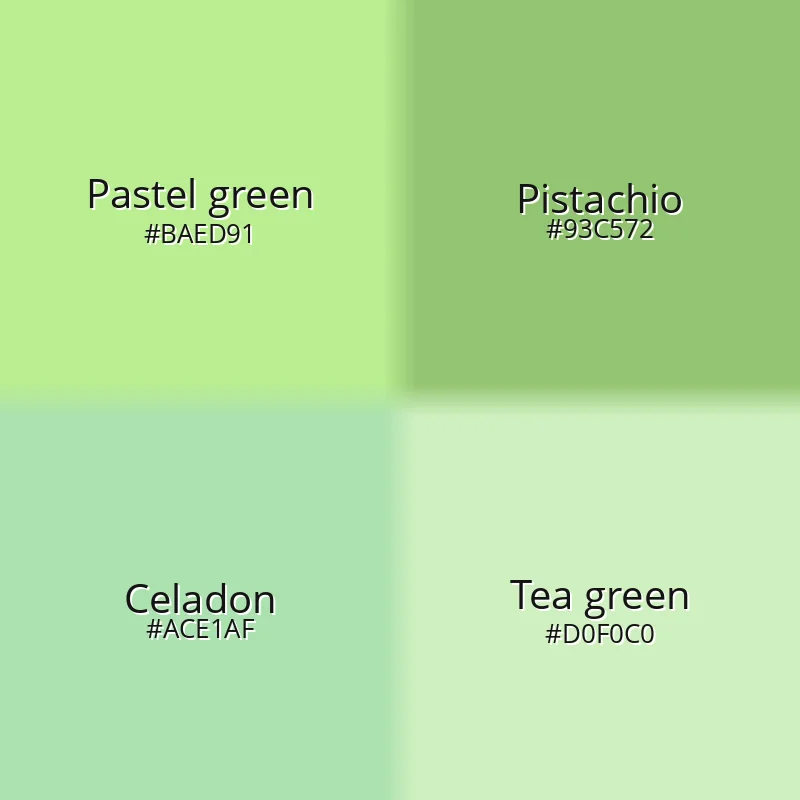
Pastel green is a light, soft shade of green that’s typically:
- Lighter and less muted than pistachio
- Darker and more vivid than tea green
- Brighter and more yellow-leaning than celadon
You can find the perfect shade of pastel green for your project on QuillBot’s free online color wheel. Just start with the base hex code #BAED91 and adjust the color by moving the main pointer. Use the outer wheel to fine-tune lightness.
Continue reading: Pastel Green Color Meaning | Connotations & Hex Code
How to Compress PDF Files Using a Free Tool
Compressing PDF files makes sense because smaller PDFs are quicker to upload, download, and send. And the smaller the files you email, store, or make available for download on your website, the more you can save on storage and bandwidth costs.
You can quickly and easily compress a PDF using an online tool like QuillBot’s free Compress PDF.
Continue reading: How to Compress PDF Files Using a Free Tool
The Future of Work | Generative AI in the Workplace
The future of work is being reshaped by generative AI faster than any previous wave of workplace technology. Unlike earlier forms of automation, which focused primarily on routine and repetitive tasks, generative AI can produce original text, code, images, and other content—allowing machines to participate directly in cognitive work.
In 2025, roughly 40% of U.S. workers reported using generative AI in their jobs, according to Harvard University’s Project on Workforce Generative AI Adoption Tracker. This uptake signals that generative AI in the workplace is not a fringe experiment but an emerging standard layer of digital infrastructure.
As a result, generative AI in the workplace is no longer limited to experimental use cases. It’s becoming embedded in everyday business functions and directly affects how organizations operate and how people work. Job roles are evolving, workflows are being redesigned, and new skills are becoming essential.
Rather than simply replacing human labor, generative AI in the workplace is increasingly acting as a productivity multiplier, augmenting human capabilities and changing the structure of work itself. Understanding how generative AI fits into the broader future of work is now a necessity for organizations and individuals that want to remain competitive in coming years.
Continue reading: The Future of Work | Generative AI in the Workplace
Forest Green Color Meaning | Symbolism & Hex Code
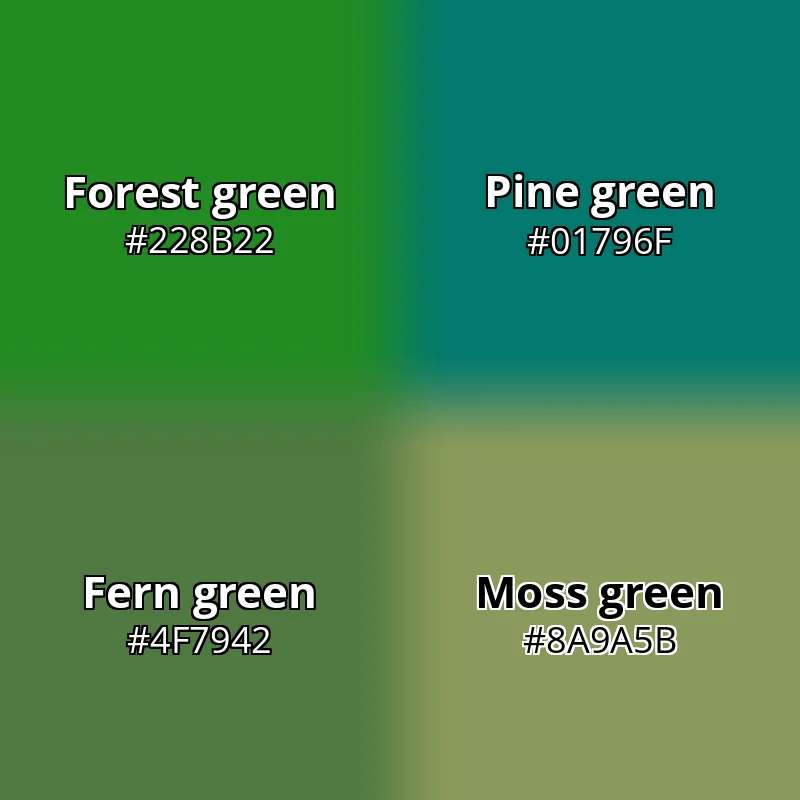
Forest green typically describes a deep, natural green reminiscent of the leaves of trees and foliage in temperate climates. It’s usually a darker, more purely green color than pine green, richer and deeper than fern green, and less yellow-leaning than moss green.
Continue reading: Forest Green Color Meaning | Symbolism & Hex Code
Seafoam Green Color Meaning | Hex Code & Uses
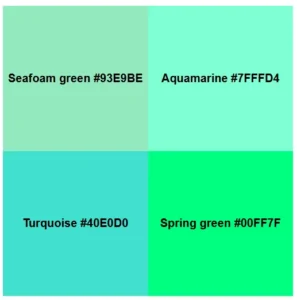
Seafoam green typically describes a soft, pale shade of minty green that’s slightly greener and less saturated than aquamarine, lighter and less blue than turquoise, and much paler than spring green.
This article explores the meaning of seafoam green, compares it with similar green shades, provides example hex codes, and shows you how to create your own seafoam green digital wallpaper designs.
Continue reading: Seafoam Green Color Meaning | Hex Code & Uses
How to convert HEIC to JPG, PNG, WEBP | Tips & Tools
If you’ve ever tried to upload a photo to a website or send it to a Windows user only to encounter a “file not supported” error, you’ve likely encountered the HEIC image format. Many Apple products use High Efficiency Image Container (HEIC) files to save space when storing high-quality images, but formats like JPEG and PNG are more universally compatible.
Thankfully, converting your HEIC and HEIF images to a different format is fast and easy with QuillBot’s free HEIC image converter. Read on to learn more about how to convert and share your images with the click of a button.
Continue reading: How to convert HEIC to JPG, PNG, WEBP | Tips & Tools