Working with industry leaders
We’re a proud partner of these globally recognized brands:





How to use QuillBot’s AI banner generator
1
Enter your idea
Describe your banner idea and choose a style and ratio.
2
Refine your design
Adjusting style, colors, or branding details in your prompt.
3
Download and share
Download your banner and use it across ads, websites, or social media.
Why use an AI banner generator?
Generate banners instantly
Turn a simple text idea into a ready-to-use banner in seconds.

Get custom results
Generate banners that match your message, brand, and use case.
Save time and money
Avoid paying high costs for graphic design software or professional designers.
Tips for using QuillBot’s AI banner generator
Write a clear prompt that includes your message, style, and goals.
Try different prompt variations to explore more styles.
Specify use case, whether its an ad, website header, or social post.
Create multiple versions to choose the perfect banner.
The AI banner generator for everyone

Marketers
Design banner ads and campaign visuals that grab attention and increase engagement.
Content creators
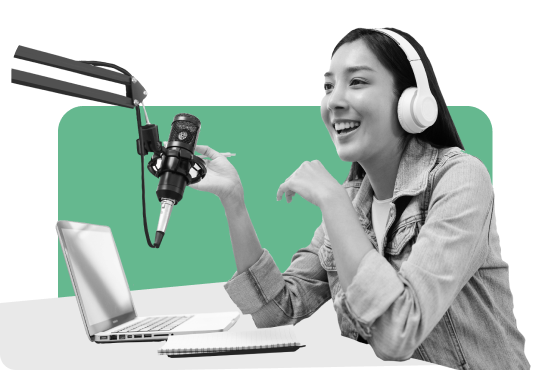
Craft banners for social posts, headers, and channel art to grow your audience.

Small business owners
Create professional assets to promote products, services, and sales.
Why writers love us
AI banner generator FAQs
What is an AI banner generator?
An AI banner generator is a tool that uses artificial intelligence to automatically create custom banners for websites, social media, ads, or marketing campaigns. Instead of manually designing each banner using software like Photoshop or Canva, users can simply enter a few prompts or preferences, and the AI will quickly generate ready-to-use designs.
Can I upload my own logo, fonts, and images?
Currently, users cannot upload their own logo, fonts, or images.
How does QuillBot's AI banner generator work?
Just enter a short prompt or description of what you want—such as your brand name, message, and preferred style—and the tool will do the rest.
Can the AI create banners in unique styles, like minimalist or retro?
Yes. QuillBot’s AI Banner Generator supports a wide range of visual styles, including minimalist, artistic, cinematic, and realistic designs. You can choose a style that fits your campaign and generate banners tailored to different themes and use cases. AI picture generator
If you want to create visuals beyond banners – such as full-sized images or complete scenes – you can use QuillBot's
Can I create a banner for my YouTube channel?
Yes, QuillBot's AI banner generator can create a YouTube channel banner. If you specify the style and proper dimensions, you can generate a perfect banner for your YouTube channel.
What are the correct dimensions for banners on social media like LinkedIn or X?
For LinkedIn, the recommended banner size is 1584 × 396 pixels for personal profiles and 1128 × 191 pixels for company pages. For X, the ideal header or banner image size is 1500 × 500 pixels.
Can I generate a full set of standard ad banner sizes for a campaign?
Yes, QuillBot’s AI banner generator can create a complete set of ad banners in all the most common digital advertising sizes. After you design one main banner, the tool can automatically resize and reformat it for multiple placements—such as display ads, website headers, and social media campaigns—while keeping your branding and layout consistent.
What are appropriate ways to use the AI banner generator?
Please ensure your use of AI banner generator complies with our Copyright Policy Community Guidelines Academic Integrity Page